.png?fit=max&auto=format&n=z7mn2_Xnb9V482Ot&q=85&s=a7da8ae8f848315623c283d39843d7f2)
.png?fit=max&auto=format&n=z7mn2_Xnb9V482Ot&q=85&s=b93021eebe7a4c4147a406759ca21037)
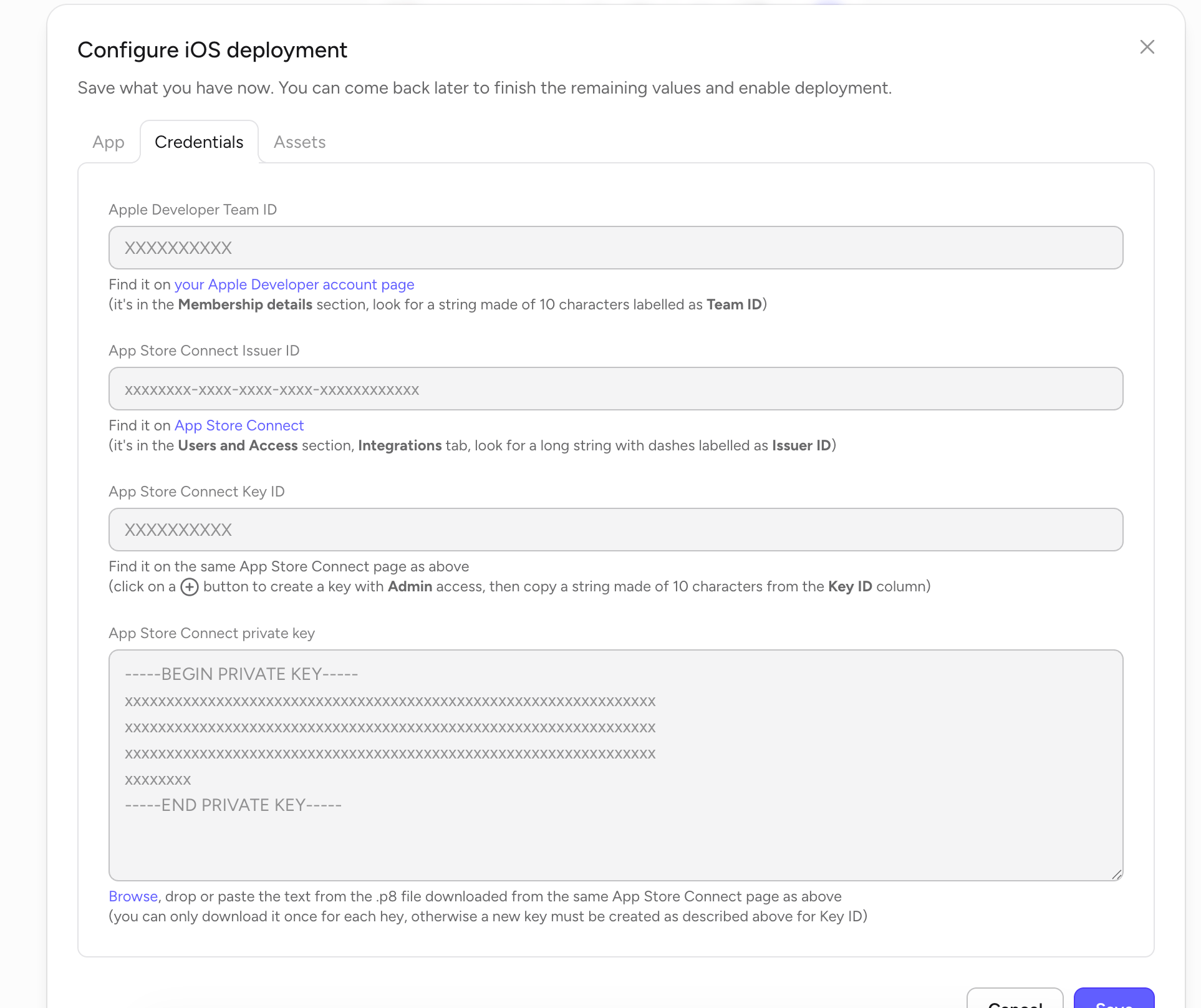
Apple Developer Team ID
A 10-character string that identifies your Apple Developer team.1
Sign in to your Apple Developer account
Go to developer.apple.com/account.
2
Open Membership details
Scroll to the Membership details section.
3
Copy Team ID
Copy the 10-character string labelled Team ID and paste it into Rey.
App Store Connect Issuer ID
A long UUID that identifies your organization inside App Store Connect. Every API key you create belongs to this issuer.1
Open App Store Connect
Go to appstoreconnect.apple.com and sign in.
2
Go to Users and Access → Integrations
Click Users and Access in the top nav, then switch to the Integrations tab.
3
Copy Issuer ID
Near the top of the page you’ll see a long string with dashes labelled Issuer ID (format:
xxxxxxxx-xxxx-xxxx-xxxx-xxxxxxxxxxxx). Copy it into Rey.App Store Connect Key ID and private key
The Key ID and private key come together — you create them at the same time, and Apple only lets you download the private key once.1
Stay on Users and Access → Integrations
Same page as the Issuer ID.
2
Create a new key
Click the + button to generate a new API key. Give it a name (e.g. “Rey deployment”) and grant it Admin access so it can create and upload builds.
3
Copy the Key ID
After the key is created, copy the 10-character string from the Key ID column into Rey.
4
Download the .p8 private key
Click Download API Key to save the
.p8 file. Apple only allows this download once — if you lose it, you’ll need to revoke the key and create a new one.5
Paste the private key into Rey
Open the
.p8 file in any text editor, copy the entire contents (including the -----BEGIN PRIVATE KEY----- and -----END PRIVATE KEY----- lines), and paste it into the App Store Connect private key field. You can also drag the .p8 file directly onto the field.